
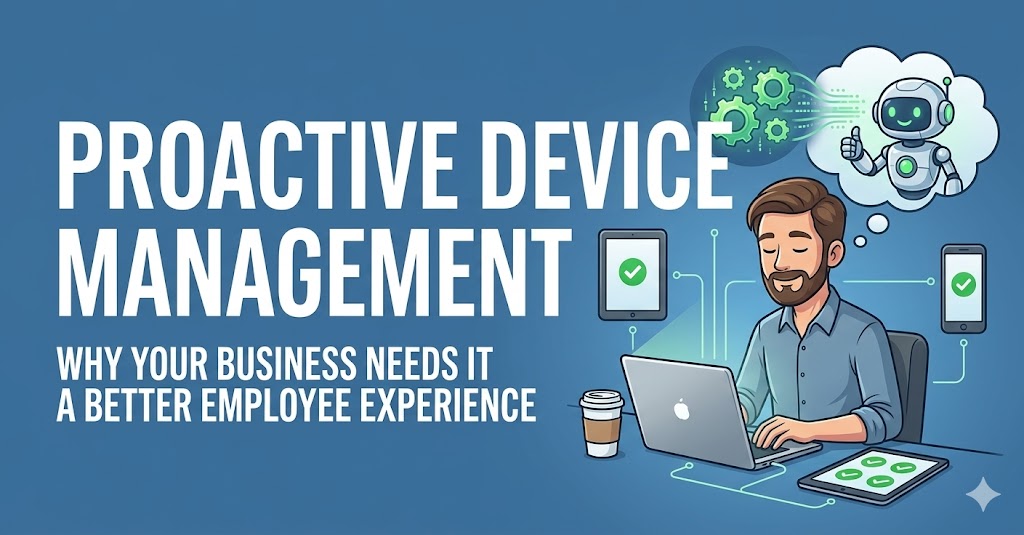
Proactive device management means your IT team fixes problems on your employees’ laptops and devices before anyone even notices something is wrong. There is no waiting for a crash, no frustrated support tickets, no lost work. Instead of reacting when things break, a proactive system quietly monitors every device in the background, spots early warning signs, and either fixes the issue automatically or alerts IT before it becomes a real problem. If your business is still waiting for employees to raise a ticket before IT steps in, you are already losing time, money, and trust. This blog explains exactly why that needs to change.
Why Most Businesses Are Still Stuck in Reactive IT Mode
Let’s be honest. Most IT teams are firefighters. Something breaks, someone calls, IT fixes it. This “break-fix” model feels normal because it’s familiar. But it’s actually one of the most expensive ways to run IT operations.
Think about what happens when a laptop dies during a deadline. Or when a security patch was never applied because no one noticed. Or when the same 10 employees keep raising the same 10 tickets every month. That’s reactive IT, and it costs more than most businesses realize.
IT professionals spend anywhere between 10 to 25 hours every week just on repetitive patching and software requests (Adaptiva, 2023). That’s nearly half a working week, every week, on tasks that could largely be automated.
The shift to proactive device management isn’t just a tech upgrade. It’s a completely different way of thinking about IT. Instead of “fix it when it breaks,” the mindset becomes “make sure it never breaks in the first place.”
Reactive vs. Proactive IT Management: What Actually Changes?
Here’s the simplest way to understand the difference:
| What You’re Looking At | Reactive IT | Proactive Device Management |
|---|---|---|
| When IT finds out about a problem | After the user reports it | Before the user notices it |
| How issues get fixed | Manual, ticket by ticket | Automated or self-healing |
| Time employees lose | Hours, sometimes days | Minutes or zero |
| IT team’s day | Firefighting | Strategic work |
| Security gaps | Discovered after the fact | Caught and closed in real time |
| Cost | Unpredictable spikes | Consistent and controlled |
The real shift is this: your devices stop being a source of problems and start being a silent, well-oiled part of how your business runs.
How Does Proactive Device Management Actually Work?
You don’t need to understand all the technical plumbing. Here’s a simple breakdown of what happens under the hood:
1. Continuous Endpoint Health Monitoring: Catching Problems Before They Happen
Every device sends a constant stream of health data including battery level, disk space, CPU load, network connectivity, and patch status. A proactive platform reads all of this in real time, 24/7. When something starts drifting from normal, say a hard disk starts throwing early failure signals, the system flags it immediately rather than six months later when it crashes.
2. AI-Powered Diagnostics: Understanding Why, Not Just What
Knowing that something is wrong isn’t enough. Good proactive management figures out why. Is the device slow because of a rogue process? A missing update? A corrupted configuration? AI-driven diagnostics identify the root cause so the right fix gets applied, not just a restart and a prayer.
3. Self-Healing Endpoint Automation: IT That Fixes Itself
This is where the magic happens. When a known issue is detected, the system automatically applies the fix. It clears disk space, ends the bad process, repairs the broken config, or reinstalls what’s corrupted. No human is needed, no ticket gets created, and the employee never knew anything was wrong.
This is called self-healing endpoint management and it’s one of the fastest-growing capabilities in enterprise IT right now.
4. Employee Self-Service IT: Empowering Users Without Burdening IT
For issues that do need user involvement, a proactive platform doesn’t just send employees to a generic FAQ page. It delivers step-by-step guided help directly on their screen, right where they are working. Employees can fix their own Wi-Fi drops, VPN disconnects, and printer problems without ever calling IT. This is the shift-left IT model in practice: pushing resolution as close to the user as possible.
5 Real Business Reasons You Need Proactive Device Management
Reason 1: Fewer IT Support Tickets
Self-healing automation handles the repetitive, low-level problems that flood every helpdesk. Think disk cleanup, application repair, software misconfigurations, and browser resets. When these are resolved automatically, your IT team’s ticket queue shrinks significantly. 98% of organizations using proactive IT monitoring report fewer system outages than those without it (Gartner).
Reason 2: Longer Device Lifespan and Smarter Hardware Budgets
When you know a laptop’s battery is degrading or a disk is showing failure signals, you can schedule a replacement at the right time rather than in emergency mode. This is predictive maintenance for endpoints, and it means fewer surprise hardware failures, better procurement planning, and a lower total cost of device ownership.
Reason 3: Stronger Endpoint Security Compliance Without Manual Audits
Unpatched devices are one of the top ways attackers get into enterprise networks. 74% of IT leaders report their companies experienced a data breach tied to endpoint security failures. Proactive management continuously enforces patches, flags unauthorized software, and corrects configuration drift automatically. You maintain security posture around the clock, not just during quarterly audits.
Reason 4: A Better Digital Employee Experience
Employees who work on slow, glitchy, broken devices are frustrated employees. And frustrated employees don’t just complain, they leave. When devices work seamlessly, productivity goes up and so does morale. Businesses that implement proactive endpoint management gain an average of 240 extra productive working hours per employee per year. That’s six extra working weeks. Proactive device management is increasingly seen as a digital employee experience (DEX) investment, not just an IT cost.
Reason 5: Predictable IT Costs and Cleaner Budget Planning
Reactive IT is expensive partly because it’s unpredictable. Emergency hardware orders, after-hours callouts, extended downtime. With proactive management, IT becomes measurable. You can track mean time to resolution (MTTR), ticket deflection rates, and device health scores, and show real ROI to leadership.
What Should a Good Proactive Device Management Platform Do?
Not every tool that calls itself “proactive” actually is. Here’s what to look for:
Real-Time Telemetry, Not Just Snapshots The platform should be collecting live data from every endpoint, not running scans once a day. Battery health, disk I/O, CPU usage, and network performance should all be tracked continuously.
Automated Remediation Workflows That Don’t Require Developers IT teams should be able to build and deploy fix workflows without writing code. If you need a developer every time you want to automate a new issue pattern, the platform will never keep up with real-world device problems.
Self-Service Co-Bots for Employees Not a basic FAQ. Actual AI-guided, conversational help that meets employees where they are, on their desktop, in plain language, walking them through the fix.
ITSM Integration Without Friction When automated remediation isn’t enough, the escalation to a service ticket should be automatic and pre-filled with diagnostic context so the IT agent isn’t starting from zero.
Unified Endpoint Compliance Enforcement Patch status, software inventory, and security configuration should all be enforced continuously and automatically, with any deviation flagged and corrected in real time.
Proactive Device Management vs. Traditional MDM: They’re Not the Same Thing
A lot of people confuse proactive device management with traditional Mobile Device Management (MDM). They’re related, but they’re not the same.
Traditional MDM is great at telling you what’s on your devices and whether they follow a policy. It enrolls devices, enforces basic rules, and lets you remotely wipe a lost phone.
Proactive device management goes further. It tells you how healthy your devices are right now, predicts which ones are at risk of failing, automatically heals issues before users feel them, and empowers employees to help themselves for common problems.
Think of MDM as a compliance tool. Proactive device management is a continuous IT operations platform.
The global MDM market is growing fast, valued at approximately $13.5 billion in 2025 with a CAGR of nearly 25%. But businesses that layer true proactive operations on top of MDM are seeing the biggest returns.
Common Real-World Use Cases: What Gets Fixed Proactively?
Disk Space Running Low The system detects a device approaching 90% disk usage and triggers a cleanup workflow automatically. The employee never hits the “low disk” error.
Patch Compliance Gaps A device hasn’t rebooted to apply a critical security patch in 10 days. The platform prompts a smart restart, or schedules one during off-hours. 100% patch compliance is maintained without IT chasing individuals.
Hardware Degradation Signals A laptop battery drops below acceptable capacity thresholds. Replacement gets flagged for procurement, and the employee gets a new battery before the old one dies during a client presentation.
VPN or Wi-Fi Failure An employee’s VPN drops. A self-service co-bot appears on their screen. They follow guided steps and fix it in 2 minutes with no ticket, no call, and no lost time.
Application Misconfiguration Outlook stops syncing after a Windows update. The platform detects the config drift and automatically reapplies the correct settings. The employee never loses email access.
How Anakage Brings Proactive Device Management to Life
Anakage is built from the ground up for proactive, automated endpoint operations. The results across real enterprise deployments tell the story better than any product description can.
A leading pharma manufacturer was dealing with sluggish boot times, overutilized disks, degraded batteries, and zero real-time visibility across 17,387 devices. Manual remediation was stretching IT teams thin. After deploying Anakage, 60% of issues were resolved autonomously with an average remediation time of under 11 seconds. Over 64.2 TB of junk data was cleaned automatically, and the compliance view gave IT leadership real-time and offline visibility into device health across every endpoint.
A top BFSI insurer had remediation cycles averaging 90 minutes per issue and no self-service options in place. IT was permanently stuck in reactive firefighting mode. Anakage brought that 90-minute cycle down to under 11 seconds. 81% of issues were self-resolved by users through guided workflows, and the organization saw a 3x acceleration in compliance audit readiness.
A global automotive OEM was seeing frequent BSODs, delayed patch reboots, and manual remediation taking up to 45 minutes per issue. Anakage ran over 3,350 automated fixes, cleared 131 TB of data, and delivered a 44% reduction in ticket volumes. Essential services compliance reached 95%, and the self-help success rate hit 72%.
A Japanese multinational struggling with software install backlogs and SCCM dependency saw 70% of software install requests fulfilled without any wait time, and ad hoc install requests dropped by 50% after deploying Anakage’s remote software deployment automation.
A large telecom provider handling high employee attrition and constant AD task overhead automated 100% of routine Active Directory onboarding and offboarding tasks. IT engineers stopped handling repetitive AD work entirely and shifted focus to higher-value projects.
A German multinational automotive corporation needed multilingual self-service support across multiple cities. Anakage’s mCMS and CoBots delivered a 70% success rate in resolving end-user issues, using 360+ on-screen notifications and 550+ multilingual content pages, without building a custom system or increasing headcount.
The pattern across all of these deployments is the same. Organizations move from reactive troubleshooting to proactive, steady-state IT operations. Device health is maintained continuously, employee experience improves, and IT teams finally have the time and bandwidth to work on what actually matters.
The Bottom Line: Every Day of Reactive IT Is a Choice
Every day your business runs reactive IT, you’re paying for it in lost employee time, unplanned hardware costs, security exposure, and IT team burnout. The alternative isn’t complicated or expensive. It’s a smarter approach: watch devices constantly, fix issues automatically, empower employees to self-serve, and give IT the breathing room to do meaningful work.
That’s proactive device management. And for most businesses, the only real question is: why hasn’t this happened sooner?
Ready to see how Anakage works in your environment? Book a live walkthrough tailored to your infrastructure, not a generic demo.
Frequently Asked Questions About Proactive Device Management
What exactly is proactive device management?
It’s an approach where your IT systems continuously monitor device health and automatically fix issues before they affect employees, instead of waiting for problems to be reported and then reacting.
How is it different from just having a good helpdesk?
A helpdesk responds after something breaks. Proactive device management prevents the break from happening in the first place, or resolves it invisibly before the employee even knows. You end up needing the helpdesk far less.
What devices does it cover?
Modern proactive platforms cover Windows laptops, macOS devices, desktops, and mobile endpoints wherever your employees work, including remote and hybrid setups.
Does it work when employees are working from home or traveling?
Yes. Agent-based platforms work directly on the endpoint, not just when devices are on the corporate network. Many also work offline, so Wi-Fi and VPN issues can be fixed even when the internet is the problem.
Will this replace our IT team?
No, it frees them. Instead of spending 60% of their time on L1 tickets and repetitive issues, your IT team can focus on projects that actually move the business forward. Proactive management doesn’t replace IT. It makes IT more valuable.
How long does it take to see results?
Most organizations report measurable reductions in ticket volume and improved device health scores within the first 30 to 90 days of deployment. Self-healing workflows start delivering ROI from day one.