
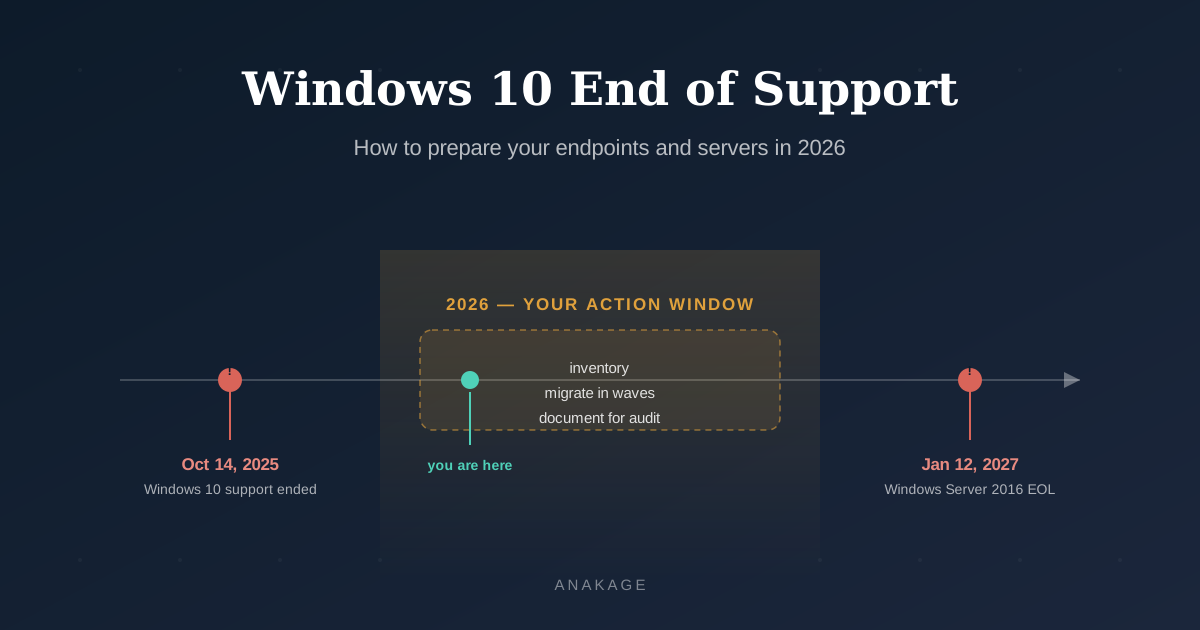
Windows 10 end of support took effect on October 14, 2025. Machines still on it get no security patches, no bug fixes, and no Microsoft help. Preparing means three steps: inventory every endpoint, decide between ESU and migration per device, and move in planned waves through 2026.
The urgency is real. Around half of enterprise Windows endpoints had not migrated when the deadline passed. And a second deadline is coming — Windows Server 2016 end of life on January 12, 2027.
Here is how to get through both without audit findings or budget shocks.
What Windows 10 End of Support Means for Your Machines
End of support does not switch anything off. Your Windows 10 machines keep running as before.
What stops is protection. Microsoft no longer patches newly found vulnerabilities. Every month adds to your unpatched attack surface.
Unsupported OS — an operating system that no longer receives vendor security patches, making every new vulnerability a permanent risk.
Three things degrade fast after windows 10 eol:
- Security — attackers actively target known flaws in end-of-life systems
- Compliance — auditors flag unsupported operating systems as findings
- Vendor support — new software stops being tested against the old platform
How to Assess Your Windows 10 End of Life Risk
Start with one question: how many devices are still on Windows 10, and where are they?
Most teams cannot answer this accurately. Branch offices, factory floors, and offline network segments hide from cloud-based discovery tools.
Run a full endpoint inventory first. Record OS version, hardware readiness for Windows 11, and device owner. This single list drives every decision that follows.
For offline or air-gapped segments, use an on-premise discovery tool that works without internet. Anakage is one option built for exactly this — local discovery, OS and patch verification, and audit-ready reports with no cloud dependency. OCS Inventory can serve smaller offline deployments.
How to Decide Between ESU and Migration
After the windows 10 end of life date, every device falls into one of three paths. Cost decides most of them.
Path 1 — Extended Security Updates (ESU). Enterprise pricing starts at $61 per device in year one. It doubles to $122 in year two and $244 in year three. For 1,000 devices, year three alone costs $244,000 — for security-only patches.
Path 2 — Migrate to Windows 11. Around 88% of not-yet-migrated enterprise devices already meet Windows 11 hardware requirements. Only about 11% need replacement. For most estates, migration is cheaper than two years of ESU.
Path 3 — Do nothing. The most expensive path. It invites ransomware, fails audits, and can void cyber insurance claims.
The working rule: migrate everything that can move, and buy ESU only for devices blocked by legacy applications. Give every ESU device an exit date.
How to Handle Windows Server 2016 End of Life in Parallel
Desktops got the headlines. Servers carry the bigger risk.
Windows Server 2016 end of life arrives on January 12, 2027. Servers run Active Directory, databases, file shares, and core business apps. An unpatched server is a far richer target than an unpatched laptop.
Plan the server migration alongside the desktop one, not after it. Target completion by mid-2026 to avoid a rushed year-end cutover. Microsoft has confirmed paid ESU for Server 2016 for up to three years, but treat it as a bridge only.
If you still run Server 2012 or 2012 R2, note that its final ESU year ends in October 2026. Migrate oldest first, then apply the lessons to your 2016 wave.
How to Stay Audit-Ready Through the Transition
For banks, NBFCs, and regulated enterprises in India, EOL is a compliance event.
An RBI IT audit will ask for your OS inventory and patch status. Windows 10 devices without ESU documentation appear as findings. The same will apply to Server 2016 after January 2027.
Keep three artefacts ready: the full endpoint inventory, the migration log per wave, and ESU purchase records for exempted devices. Auditors accept a documented plan. They do not accept “it still works.”
Cyber insurance adds pressure. Many policies deny claims when a breach starts on an unsupported system.
How to Migrate Without Flooding Your Helpdesk
Migration is not done when the OS installs. The ticket wave that follows is where budgets quietly leak.
Follow this sequence:
- Inventory everything and segment devices into ready, needs-upgrade, needs-replacement, and cannot-move.
- Pilot with a small, tech-savvy group. Fix recurring issues before the broad rollout.
- Push self-help guidance before each wave. Users hit the same “where did this go” questions on Windows 11 — answer them before tickets form.
- Automate post-upgrade fixes. Profile, VPN, printer, and driver faults follow upgrades predictably. Self-heal automation can detect and fix these before users notice — Anakage handles this on-premise, which suits regulated environments.
- Migrate in waves of increasing size, reviewing ticket data after each one.
- Document each wave for your audit file.
Teams that pair waves with self-service support consistently report lower ticket spikes than big-bang rollouts.
FAQ
Q: When did Windows 10 support end?
A: Windows 10 reached end of support on October 14, 2025. Microsoft stopped free security updates, bug fixes, and technical support on that date.
Q: Can I still use Windows 10 after end of support?
A: Yes, machines keep working. But they receive no security patches, so risk grows monthly. Enterprises should enrol in ESU or migrate to Windows 11.
Q: How much does Windows 10 ESU cost?
A: Enterprise pricing starts at $61 per device in year one, doubling each year to $122 and then $244. Coverage runs up to October 2028.
Q: When is Windows Server 2016 end of life?
A: Extended support for Windows Server 2016 ends on January 12, 2027. Paid ESU will be available for up to three years after for those who cannot migrate in time.
Q: What are the risks of running an unsupported OS?
A: Unpatched vulnerabilities, ransomware exposure, failed compliance audits, and possible denial of cyber insurance claims. Vendors also stop testing new software on EOL platforms.
Q: Does Windows 10 EOL affect RBI audit compliance?
A: Unsupported operating systems typically appear as audit findings. Devices covered by documented ESU are in a stronger position, but regulators expect a migration plan.
Q: How do I find machines still running Windows 10?
A: Run full endpoint discovery across all network segments, including offline ones. Record OS version, Windows 11 readiness, and owner per device. That inventory drives the plan.
Windows 10 end of support is already here, and Windows Server 2016 end of life is fixed for January 2027. Teams that inventory now and migrate in documented waves avoid both the ESU cost spiral and the audit findings.
If your environment includes offline or compliance-heavy networks, Anakage offers a free 30-minute demo at anakage.com/book-a-demo — worth a look if that matches your setup.