
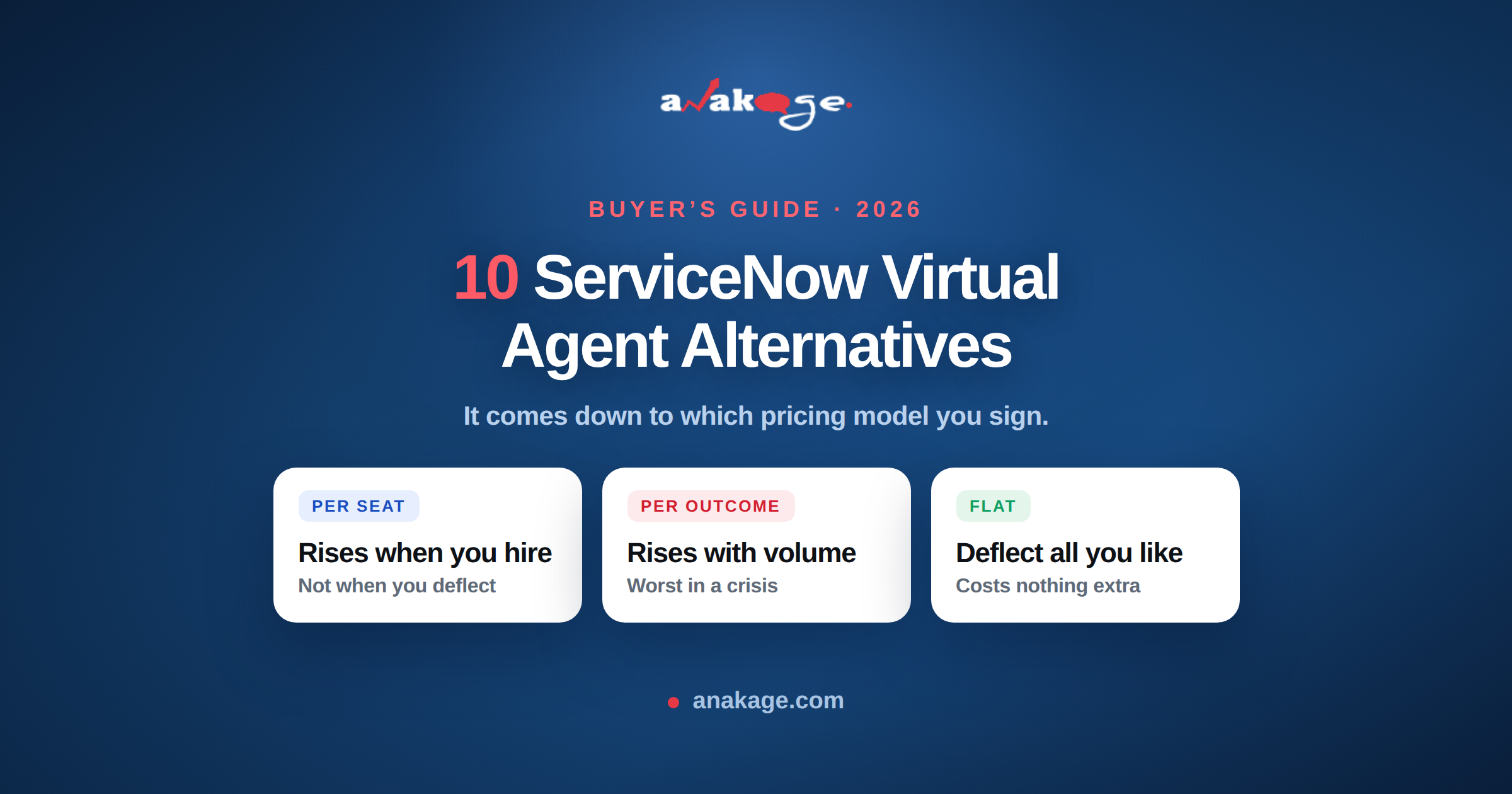
The strongest ServiceNow Virtual Agent alternatives in 2026 are Moveworks, Aisera, Freshservice Freddy AI and ManageEngine ServiceDesk Plus. For teams whose tickets come from broken endpoints rather than unanswered questions, Anakage fixes the issue directly instead of deflecting the conversation.
The decision usually comes down to pricing model. ServiceNow does not publish pricing, and licensing advisors estimate $70 to $200 or more per fulfiller per month, with year-one total cost of ownership between $500,000 and $2 million for a 50-fulfiller deployment. (Source: Rezolve.ai, September 2026)
What Virtual Agent Actually Costs You
Virtual Agent ships inside ServiceNow’s Foundation tier, estimated at $70 to $100 per fulfiller per month, alongside incident management, the service catalogue and standard Now Assist. (Source: Desk365, July 2026)
The real cost arrives with the AI layer. Now Assist adds a 25% to 60% uplift on a Pro Plus base of $150 to $200 per user per month, and implementation runs 6 to 12 months. (Source: ServiceDeskAgents, April 2026)
Fully autonomous AI agents and the L1 service desk AI specialist sit in the Prime tier at $160 to $200 or more per fulfiller per month. (Source: Desk365, July 2026)
Three cost shapes exist in this market. Per-seat, per-resolution and flat. Work out which one matches your ticket curve before you compare features.
Why Teams Look for ServiceNow Virtual Agent Alternatives
Cost that scales with usage. Per-user and per-resolution models both rise as your ticket volume rises. Your spend peaks when you have the most problems.
Implementation weight. Six to 12 months for Now Assist compares poorly with alternatives that deploy in weeks.
Adoption that never arrives. A chatbot that hands users a knowledge base article gets abandoned. One MSP saw adoption as low as 4% on a traditional service desk chatbot before replacing it. (Source: Anakage MSP case study)
Deflection ceilings. Even good deployments land at 40% to 75% deflection. (Source: ServiceDeskAgents, April 2026) The remaining tickets are often endpoint problems a chatbot cannot solve at all.
What ServiceNow Virtual Agent Provides
Virtual Agent is a conversational layer on top of the ServiceNow platform. Its job is to intercept a request before it becomes a ticket for a human.
What it does well:
- Natural language intake across portal, Teams and mobile
- Knowledge base search and article surfacing
- Ticket creation, status lookup and approvals
- Routing to the right assignment group
- Native connection to your CMDB, incident and request records
- Now Assist adds summarisation, generative answers and agent assistance
What it needs to take an action. Virtual Agent talks. To change something on a system, it calls a workflow, and that usually means IntegrationHub. Self-healing on ServiceNow requires the separate IntegrationHub product plus coding. (Source: Anakage competitor analysis)
What it cannot do. It does not run on the endpoint. If a laptop has a stopped antivirus service, a corrupted agent, a full disk or a broken group policy, Virtual Agent can log the ticket and route it. It cannot fix it.
It is also cloud-dependent, so it does nothing for a disconnected machine. (Source: Anakage competitor analysis)
What Anakage Provides
Anakage is not an ITSM platform. It is an automation layer that runs on the endpoint and inside the applications your users work in.
The five components:
- Endpoint agent — DEX monitoring with automated remediation
- Desktop self-service app — users run elevated fixes without admin rights
- Self-service CoBots — reachable from web, Microsoft Teams or the agent
- Virtual chat agent — Teams and web
- Workflow automation builder — visual, no-code
(Source: Anakage platform overview)
How the chat agent differs. It fires CoBots and self-heal routines at the endpoint without API integration. If the CoBot cannot resolve the issue, it logs an incident in your ITSM tool. (Source: Anakage–ServiceNow comparison)
That last point is the architectural difference. ServiceNow’s agent needs an integration built for every action. Anakage’s agent already sits on the machine.
Head to Head: Feature by Feature
| Capability | ServiceNow Virtual Agent | Anakage |
|---|---|---|
| Core philosophy | Record-first (ticketing) | Action-first (detect and fix) |
| Self-healing | Requires IntegrationHub plus coding | Native, no scripts required |
| Offline capability | No — cloud-dependent | Agents work fully offline |
| Endpoint remediation | Routes to helpdesk, limited fixes | Automates fixes directly on the desktop |
| No-code automation | Low — needs specialist developers | Visual development studio |
| In-app user guidance (DAP) | No — needs a third party such as WalkMe | Built in |
| Self-service password reset | Standard, online only | Works for offline remote users |
| Patch management | Integrates with SCCM | Last-mile fixer, repairs failed patches |
| Microsoft Teams | Native | Native |
| Ticketing, CMDB, change | Full ITSM platform | None — integrates with yours |
| Deployment time | Months, complex implementation | Days to hours with pre-built templates |
| Licensing | Separate VA + IntegrationHub + ITSM licences | Single bundled licence |
| Cost model | Dynamic, usage-based, scales variably | Flat-rate, predictable |
| Scaling impact | Cost rises with user growth from per-query billing | Linear and controlled |
| Primary weakness | Complexity and cost | Brand awareness against larger vendors |
(Source: Anakage competitor analysis and ServiceNow comparison. This is vendor-published comparison material — verify each row in your own evaluation.)
Where the Cost Difference Actually Comes From
Three licences versus one.
On ServiceNow you typically hold a Virtual Agent licence, an IntegrationHub licence for the automation actions, and your ITSM licence underneath. (Source: Anakage–ServiceNow comparison)
Then the usage layer. Now Assist adds a 25% to 60% uplift on a Pro Plus base of $150 to $200 per user per month. (Source: ServiceDeskAgents, April 2026)
The structural issue is direction of travel. Per-query billing means your cost rises as your user base grows, independent of whether your ticket volume per user improved. (Source: Anakage–ServiceNow comparison)
A flat licence decouples the two. You can deflect more tickets without paying more to do it.
Onboarding and Offboarding: A Worked Example
This is where the difference becomes concrete.
On ServiceNow. Workflow creation involves complex configuration and expert setup. The platform offers an app repository but lacks native automated deployment, so software distribution needs custom workflows. Professional services costs follow. (Source: Anakage–ServiceNow comparison)
On Anakage. Pre-built templates with no-code setup using forms and API-based automation, plus centralised policy-based software deployment. Machine setup and Active Directory task automation are included. (Source: Anakage–ServiceNow comparison)
For a new joiner this means account creation, access provisioning, machine setup and software installation running as one automated sequence rather than a chain of tickets.
Be Clear About What Anakage Does Not Do
A comparison that only lists wins is not useful for an evaluation.
Anakage has no ticketing system, no CMDB, no change or problem management and no SLA engine. If you are looking to replace ServiceNow itself, this is not the product.
It also lacks mobile device support, network discovery, virtual machine coverage and OS deployment. (Source: Anakage competitor analysis)
And the honest structural point: Anakage’s own competitive analysis names brand awareness against larger vendors as its primary weakness. You will not be buying the safe, obvious choice.
The realistic deployment pattern is Anakage alongside ServiceNow, not instead of it. ServiceNow keeps the records. Anakage stops issues reaching them.
ServiceNow Virtual Agent Alternatives Compared
Read this as a decision maker: what you actually get, what it costs, and who it suits.
| Tool | What it provides | Pricing model | Indicative cost (USD) | Deploy time | Choose it if |
|---|---|---|---|---|---|
| Anakage | Endpoint agent with self-heal, desktop self-service app, CoBots, Teams and web chat agent, no-code workflow builder, in-app guidance. Works offline. No ticketing or CMDB. | Flat bundled licence, one SKU | Quote. Flat regardless of query volume | Days to weeks | Your tickets come from broken machines, or scripting and cloud are restricted |
| ServiceNow Now Assist (staying put) | Generative answers, summarisation, agent assist, autonomous agents at Prime tier. Actions need IntegrationHub. | Per-user seat uplift on ServiceNow base | 25–60% uplift on a $150–$200/user/month Pro Plus base | 6–12 months | You have already absorbed the ServiceNow platform cost and want no new vendor |
| Moveworks | Enterprise conversational AI for IT and HR, deep ServiceNow integration, multi-system action-taking | Annual contract | $200K–$600K ACV for 1,000–5,000 employees | ~2 months | Large enterprise, ServiceNow-standardised, budget is not the constraint |
| Aisera | AI agents spanning IT, HR and customer service across many back-end systems | Annual contract | Custom quote | 3–6 months | Complex multi-system estate needing one AI layer over all of it |
| Freshservice + Freddy AI | Full mid-market ITSM with an AI copilot add-on, ITIL processes, asset management | Per agent, AI as add-on | $19 / $49 / $99 per agent/month; Freddy Copilot +$29 per agent/month | Weeks | You want to replace ServiceNow itself and stay mid-market |
| ManageEngine ServiceDesk Plus | Full ITIL service desk with AI included rather than metered, private LLM option, genuine on-premises editions | Per technician | $13 / $27 / $67 per tech/month (on-premises tiers) | 2–8 weeks | Cost is the constraint, or you need on-premises and data residency |
| Jira Service Management | Atlassian-native service desk with virtual AI agents, asset management at Premium | Per agent plus conversation overage | $51.42 per agent/month Premium; $0.30 per conversation over allowance | Days to weeks | Your organisation already runs Jira and dev and IT share a queue |
| Zendesk AI Agents | Conversational AI resolving tickets from your knowledge base, omnichannel | Per automated resolution | $1.50 per committed resolution; $2.00 pay-as-you-go | Weeks | You want cost tied to outcomes, and your use case is support-desk shaped |
| eesel AI | AI agent layered over existing helpdesk tools, no platform commitment | Per task | $0.40 per regular task; no platform fee, no per-seat fee, no minimum | Days | Small team, low volume, want to trial without a contract |
| Workativ | Conversational AI plus app workflow automation for IT support | Tiered subscription | Starter from $1,530; Professional $2,250 | Weeks | You want chat and workflow automation bundled at a fixed tier |
| Thunai | AI support layer (voice, chat, email) over tools you already run. No asset management or CMDB | Custom, free and paid plans | Custom quote | Days to weeks | You want to add AI without changing your service desk |
Pricing is vendor-published or licensing-advisor estimates as reported by the sources cited at the end, in USD. ServiceNow does not publish list pricing. Verify all figures before purchase.
Reported Deflection Rates
Only some vendors publish these, and all are self-reported.
| Tool | Reported deflection |
|---|---|
| Anakage | 70–81% of issues self-resolved by users; 72% self-help success rate |
| Moveworks | 50–75% |
| ServiceNow Now Assist | 40–70% |
| Aisera | 50–65% |
Treat these as best-case. Ask each vendor what their median customer achieves after 12 months, not what their reference account achieved.
The Three Cost Shapes
Most confusion in this market comes from comparing different pricing units. There are only three.
- Per seat. You pay for agents or fulfillers. Cost rises when you hire, not when you deflect. ServiceNow, Freshservice, Jira, ManageEngine.
- Per outcome. You pay per resolution or task. Cost rises directly with ticket volume. Zendesk, eesel.
- Flat. You pay a licence regardless of usage. Deflecting more costs nothing extra. Anakage, tiered plans like Workativ.
Model your busiest month, not your average. Per-outcome pricing looks cheapest in a pilot and worst in a crisis.
1. Anakage
Best for: teams whose tickets come from broken endpoints, not unanswered questions
Covered in detail above. In short: Virtual Agent deflects a conversation, Anakage removes the reason for it.
Benchmarks from live deployments: 70% to 81% of issues self-resolved by users, 72% self-help success rate, 44% reduction in ticket volumes, and average remediation under 11 seconds against a 45 to 90 minute manual baseline. (Source: Anakage customer case studies)
Watch for: no ticketing or CMDB, and fewer public reviews than the enterprise vendors here.
2. Moveworks
Best for: large enterprises already standardised on ServiceNow
Moveworks reports 50% to 75% deflection with roughly two months to implement, at $200,000 to $600,000 annual contract value for organisations of 1,000 to 5,000 employees. (Source: ServiceDeskAgents, April 2026)
Watch for: the entry price rules it out for most mid-market teams.
3. Aisera
Best for: complex environments spanning many systems
Aisera reports 50% to 65% deflection on custom-quoted annual contracts, with implementation of three to six months. (Source: ServiceDeskAgents, April 2026)
Watch for: longer deployment than Moveworks, and no published pricing.
4. Freshservice with Freddy AI
Best for: mid-market teams wanting ITSM and AI from one vendor
Freshservice publishes Starter, Growth and Pro at $19, $49 and $99 per agent per month billed annually. Freddy AI Copilot is a $29 per agent monthly add-on. (Source: Rezolve.ai, September 2026)
Watch for: confirm how included AI sessions are counted and what happens past the allowance.
5. ManageEngine ServiceDesk Plus
Best for: teams needing on-premises deployment and predictable AI cost
On-premises tiers start at $13, $27 and $67 per technician per month, with AI included rather than metered, a private LLM option, and genuine on-premises editions in a market that has largely abandoned them. (Source: Rezolve.ai, September 2026)
Watch for: AI capability is less advanced than the specialist agents above.
6. Jira Service Management
Best for: organisations already running Atlassian
Premium runs $51.42 per agent per month and includes virtual AI agents, with $0.30 per conversation beyond the allowance. (Sources: Nextiva, August 2026; ServiceDeskAgents, April 2026)
Watch for: conversation overage is a usage-based cost in disguise.
7. Zendesk AI Agents
Best for: teams that want cost tied to outcomes
Zendesk charges $1.50 per committed automated resolution, or $2.00 pay-as-you-go. (Source: ServiceDeskAgents, April 2026)
Watch for: Zendesk is built for customer support first. Internal IT use cases run thinner.
8. eesel AI
Best for: small teams wanting to start without a platform commitment
eesel prices at $0.40 per regular task with no platform fee, no per-seat fee and no monthly minimum. (Source: eesel AI)
Watch for: per-task pricing scales directly with volume, so model your busiest month, not your average.
9. Workativ
Best for: teams wanting workflow automation alongside chat
Workativ publishes Starter at $1,530 and Professional at $2,250, with enterprise pricing custom. (Source: Workativ, February 2026)
Watch for: a smaller vendor than the enterprise options, so ask for references at your scale.
10. Thunai
Best for: adding an AI layer over tools you already run
Thunai positions as an AI-native support layer on existing tools, with free and paid plans and deployment measured in days to weeks. (Source: Thunai, September 2026)
Watch for: no asset management or CMDB, so it supplements rather than replaces ITSM.
If You Are Staying on ServiceNow
Now Assist is the in-platform path, and it is a real option if you have already absorbed the platform cost. Budget for the 25% to 60% seat uplift and the 6 to 12 month implementation. (Source: ServiceDeskAgents, April 2026)
Many teams run an endpoint automation layer alongside ServiceNow rather than replacing anything. Tickets that never get created cost nothing to deflect.
How to Choose
Four questions narrow this quickly.
- Where do your tickets come from? If most are password resets, broken services and slow machines, a chatbot cannot fix them. Endpoint automation can.
- What does your ticket curve look like? Per-resolution pricing punishes growth. Flat licensing does not.
- How fast do you need results? Six to 12 months against days to weeks is a real difference when a new CIO needs a visible win.
- What is your realistic adoption? Deflection rates assume users engage. Ask every vendor what their median customer achieves, not their best.
FAQ
Q: How much does ServiceNow Virtual Agent cost?
A: ServiceNow does not publish pricing. Virtual Agent is included in the Foundation tier, estimated at $70 to $100 per fulfiller per month. Adding Now Assist increases the seat cost by 25% to 60% on a Pro Plus base of $150 to $200 per user per month.
Q: What deflection rate should I expect from an IT chatbot?
A: Vendor-reported ranges run from 40% to 75%. Moveworks reports 50% to 75%, Aisera 50% to 65%. Ask for median customer results rather than best-case figures, since adoption drives most of the variance.
Q: Why do IT chatbots get low adoption?
A: Most hand users a knowledge base article rather than fixing the problem. One MSP measured adoption as low as 4% before replacing its chatbot. Users want the issue gone, not instructions.
Q: Is Now Assist included in ServiceNow ITSM?
A: Standard Now Assist for ITSM is included at the Foundation level. Fully autonomous AI agents and the L1 service desk AI specialist sit in the Prime tier, with the highest AI usage allowances.
Q: How long does an AI service desk take to deploy?
A: It varies widely. Now Assist runs 6 to 12 months, Moveworks around two months, Aisera three to six months, while mid-market tools deploy in weeks. Endpoint automation using pre-built templates can go live in days.
Q: What is per-resolution pricing?
A: You pay per automated resolution rather than per seat. Zendesk charges $1.50 per committed resolution or $2.00 pay-as-you-go. It suits low volumes but costs rise directly with ticket growth.
Q: Can I use an AI agent without replacing ServiceNow?
A: Yes. Several tools layer over an existing ITSM platform rather than replacing it. Endpoint automation works the same way, resolving issues before a ticket reaches ServiceNow.
Closing
The best ServiceNow Virtual Agent alternatives depend on where your tickets originate. If users are asking questions, a better AI agent helps. If their machines are breaking, no chatbot will fix that.
Anakage resolves endpoint issues before they become tickets, on a flat licence, alongside the ITSM platform you already run. Book a 30 minute walkthrough at anakage.com/book-a-demo.
Sources
- Rezolve.ai — ServiceNow Alternatives 2026, September 2026
- Desk365 — ServiceNow Pricing 2026, July 2026
- ServiceDeskAgents — AI Service Desk Agents 2026 Reference, April 2026
- Nextiva — ServiceNow Alternatives, August 2026
- Flamingo — ServiceNow Alternatives Priced, August 2026
- eesel AI — ServiceNow Virtual Agent Alternatives
- Workativ — ServiceNow Alternatives, February 2026
- Thunai — ServiceNow Competitors Comparison, September 2026
- Anakage customer case studies and ServiceNow comparison analysis