

The “Agent” Shift: “Move Over Chatbots: Why 2026 is the Year of the IT Service Agent.”
How Self-Healing Endpoints Are Killing the Helpdesk (And Why That’s Actually Good News)
Picture this: It’s Monday morning. Sarah from Finance can’t connect to the VPN. Her laptop is slow. Outlook keeps crashing.
Old world: Sarah creates a ticket. Waits 4 hours. IT remotes in. Restarts some services. Closes ticket. Total time wasted: 5 hours.
New world: Sarah’s laptop detects the VPN issue, fixes it automatically, and sends a silent log to IT. Sarah never knew there was a problem. No ticket created. No time wasted.
This isn’t science fiction. This is happening right now at companies using self-healing endpoints. And it’s about to make Level 1 support—the kind where someone tells you to “turn it off and on again”—completely obsolete.
Welcome to the era of AI agents that don’t just chat, they fix.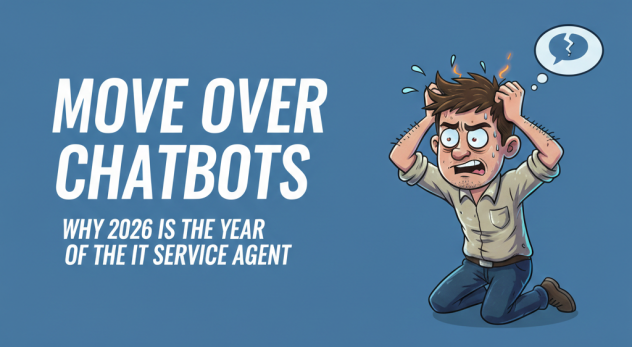

Contents
- 1 Move Over Chatbots: Why 2026 is the Year of the IT Service Agent
- 2 What Is a Self-Healing Endpoint? (In Plain English)
- 3 The Zero-Ticket Manifesto: A Future Without Helpdesk Queues
- 4 But Wait… Won’t This Eliminate IT Jobs?
- 5 How AI Agents Actually Work: The Technical Truth
- 6 The Bottom Line: Tickets Are Becoming Obsolete
Move Over Chatbots: Why 2026 is the Year of the IT Service Agent
For the past 5 years, everyone got excited about chatbots.
“Ask our AI assistant anything!” “Get instant answers 24/7!” “Powered by ChatGPT!”
Cool. But here’s the problem: Chatbots just talk. They don’t DO anything.
When your VPN breaks, you don’t need a conversation. You need someone (or something) to:
- Restart the VPN service
- Clear the credential cache
- Reset the network adapter
- Test the connection
- Verify you’re actually connected
A chatbot can’t do any of that. It can only tell you what to do. You still have to do it yourself, or wait for IT to remote in.
Enter: The AI Service Agent
The difference between a chatbot and an AI service agent is simple:
Chatbot: “Have you tried restarting your computer?”
AI Agent: Restarts the stuck service, clears the cache, and fixes the problem while you’re in a meeting
Chatbot: “Please wait while I transfer you to Level 1 support…”
AI Agent: Already fixed it. You never knew there was an issue.
This is what Anakage does. We don’t chat with users. We fix their computers automatically while they work.
What Is a Self-Healing Endpoint? (In Plain English)
A self-healing endpoint is a laptop or computer that can detect and fix its own problems without human intervention.
Think of it like this:
Normal laptop: Gets sick. Sits there being slow. Waits for IT to notice. Waits for ticket. Waits for remote session. Gets fixed eventually.
Self-healing endpoint: Feels something going wrong. Runs diagnostics. Identifies the problem. Fixes itself. Logs what happened. User never notices.
What Can Self-Healing Endpoints Actually Fix?
Real problems Anakage fixes automatically right now:
VPN Issues
- Service stuck or crashed → Auto-restart
- Credentials cached incorrectly → Clear and re-authenticate
- Network adapter misconfigured → Reset to default
Slow Performance
- Disk full from temp files → Auto-cleanup (recover 10-50GB instantly)
- Memory leak from stuck processes → Kill and restart the process
- Windows Update stuck → Force completion or rollback
Software Crashes
- Outlook won’t open → Repair profile corruption
- Excel freezing → Disable problematic add-ins
- Teams audio not working → Reset audio drivers
Security Gaps
- Windows Defender disabled → Re-enable automatically
- Firewall turned off → Turn back on (with alert to IT)
- Antivirus out of date → Force update
Print Problems
- Print spooler crashed → Restart service
- Printer driver corrupted → Reinstall driver
- Network printer disappeared → Reconnect automatically
All of this happens in the background. No ticket. No phone call. No “Can I remote into your computer?”
The Zero-Ticket Manifesto: A Future Without Helpdesk Queues
Here’s a radical idea: What if most IT tickets never needed to exist?
Let’s look at real data from traditional helpdesks:
Typical Level 1 Ticket Breakdown:
- 32% – “Computer is slow” (temp files, memory issues, stuck processes)
- 28% – “Can’t connect to VPN/network” (service crashes, credential problems)
- 18% – “Software won’t open” (corrupted profiles, stuck updates)
- 12% – “I forgot my password” (account lockouts)
- 10% – Everything else (actual complex issues)
Notice something? 90% of Level 1 tickets are repetitive, fixable problems.
These aren’t mysteries. They’re the same 20 issues happening over and over to different people.
The Old Model: Human-Powered Firefighting
How it works:
- Problem happens
- User notices (maybe after 30 minutes of frustration)
- User creates ticket (another 10 minutes)
- Ticket sits in queue (2-4 hours average)
- Level 1 tech remotes in (15-30 minute session)
- Tech runs the same 5 fixes they always run
- Problem solved
- Total time wasted: 3-5 hours
Multiply that by 50 tickets per day in a 1,000-person company. That’s 150-250 hours of wasted time every single day.
The New Model: AI Agent-Powered Prevention
How it works:
- Problem starts to happen
- AI agent detects it (before user even notices)
- AI agent runs diagnostic
- AI agent applies fix automatically
- AI agent verifies fix worked
- AI agent logs incident (no ticket created)
- Total time wasted: 0 minutes
User doesn’t notice anything. IT gets a summary report: “Fixed 47 issues today before users noticed.”
But Wait… Won’t This Eliminate IT Jobs?
This is the question everyone asks. Short answer: No. It eliminates bad work so IT can do good work.
What Level 1 Support Does Now:
- Restart VPN service (47th time this month)
- Clear DNS cache (23rd time this week)
- Tell user to restart computer (literally every day)
- Reset passwords (again and again)
- Uninstall/reinstall software (same issue, different user)
This is soul-crushing work. Nobody went into IT to restart services all day.
What IT Will Do Instead:
- Strategic projects: Migrate to cloud, plan security architecture, optimize infrastructure
- Complex problem-solving: Issues AI can’t handle (hardware failures, vendor escalations, custom integrations)
- User experience: Make technology actually work well, not just “work eventually”
- Security response: Investigate real threats, not false alarms from every “my computer is acting weird” ticket
- Innovation: Test new tools, implement automation, improve processes
Reality check: Companies using self-healing endpoints don’t fire IT staff. They promote them to more valuable work and stop hiring more Level 1 techs as they grow.
How AI Agents Actually Work: The Technical Truth
Let’s get specific. How does Anakage’s AI agent fix a computer without human help?
Step 1: Continuous Monitoring
The Anakage agent runs silently on every laptop, watching:
- Which services are running (or crashed)
- How much CPU/memory/disk is being used
- Whether critical applications are responding
- Network connectivity status
- Security tool status (antivirus, firewall, encryption)
Think of it like a health monitor. It’s constantly checking vital signs.
Step 2: Pattern Recognition
When something goes wrong, the AI doesn’t just see “VPN service stopped.” It sees:
“VPN service stopped + user recently connected to coffee shop WiFi + credential cache shows error code 0x800704cf + network adapter reset occurred 2 minutes before crash”
The AI recognizes this pattern because it’s seen it 500 times before across other users. It knows exactly what to do.
Step 3: Automated Remediation
The agent runs a pre-recorded “playbook”:
IF VPN_Service = Stopped AND Error = 0x800704cf THEN
  1. Clear credential cache
  2. Reset network adapter
  3. Restart VPN service
  4. Wait 30 seconds
  5. Test connection to corporate network
  6. IF success = TRUE THEN log_fix
  7. IF success = FALSE THEN escalate_to_IT
This isn’t the AI “thinking” or “deciding” in some mysterious way. It’s following a recipe that human IT experts recorded by doing the fix manually the first 50 times.
Step 4: Validation & Learning
After the fix runs, the agent checks:
- Did the problem actually go away?
- Can the user now access the VPN?
- Are there any side effects?
If yes → Log success, close incident
If no → Try alternate fix OR escalate to human IT with full diagnostic data
Over time, the AI learns which fixes work best for which patterns.
Step 5: Silent Logging (The “Zero Ticket” Part)
Here’s the magic: No ticket is created.
Instead, IT gets a daily/weekly report:
“Fixed 127 issues this week:
- 43 VPN reconnections
- 28 temp file cleanups (recovered 340GB total)
- 19 stuck Windows Updates resolved
- 15 print spooler restarts
- 12 Outlook profile repairs
- 10 memory-hogging processes killed
- 0 issues escalated to human IT”
IT leaders get visibility without noise. Users get problems fixed without waiting.
The Bottom Line: Tickets Are Becoming Obsolete
The future of IT support isn’t faster tickets. It’s no tickets.
When laptops can diagnose and fix themselves, when AI agents resolve issues before users notice, when IT can focus on innovation instead of firefighting—that’s when technology finally serves people instead of burdening them.
This isn’t a distant future. This is 2026.
Companies deploying self-healing endpoints today are cutting Level 1 tickets by 70-90%. Their IT teams are happier. Their users are more productive. Their costs are lower.
Meanwhile, companies still running traditional helpdesks are drowning in tickets, burning out techs, and wondering why IT is always the bottleneck.
The question isn’t “Should we adopt self-healing endpoints?”
The question is “Can we afford to be the last company still creating tickets manually?”
Ready to kill the ticket?
See Anakage in Action – Book Demo | Calculate Your ROI – Free Assessment