


Contents
- 1 Using Real-Time Health Monitoring to Prevent Hardware Failures
- 1.1 Why Real-Time Health Monitoring Matters
- 1.2 What to Monitor: Key Endpoint Health Metrics
- 1.3 The Prevention Loop: Detect → Predict → Remediate → Verify
- 1.4 How Anakage Delivers Proactive Hardware Failure Prevention
- 1.5 Business Impact: From IT Burden to Employee Experience
- 1.6 Implementation Checklist for IT Leaders
- 1.7 Conclusion
- 1.8 FAQ
Using Real-Time Health Monitoring to Prevent Hardware Failures
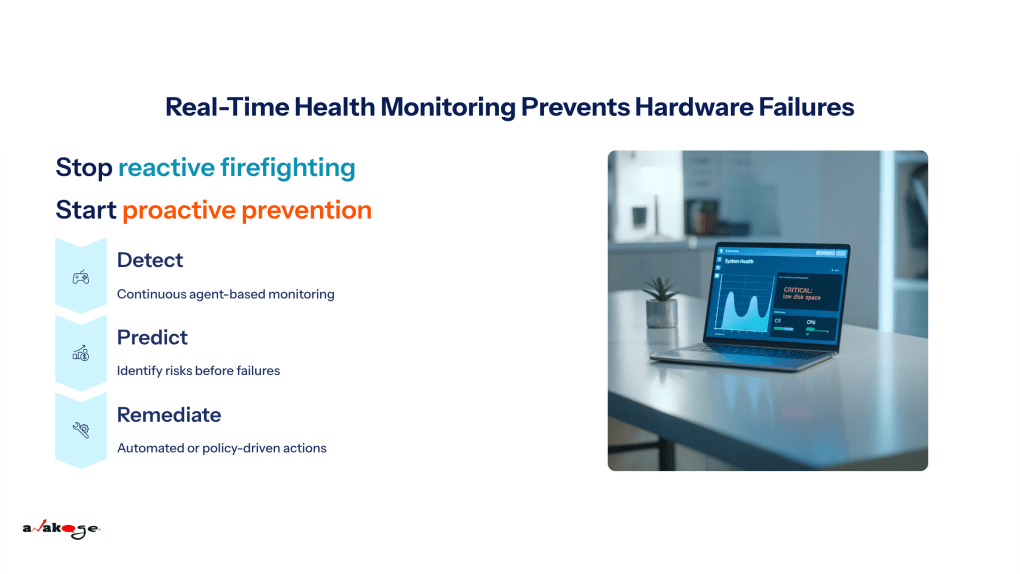

Why Real-Time Health Monitoring Matters
For most IT teams, hardware failures are still a top driver of support tickets and downtime. A laptop that suddenly dies during a client presentation or a server that fails without warning can cost far more than just repair bills—it impacts productivity, security, and employee experience.
Traditional IT Asset Management (ITAM) practices focused on inventory and compliance, but that is no longer enough. Today, IT leaders need visibility not just into what assets exist, but into how healthy they are and how likely they are to fail. Real-time monitoring provides that insight, shifting IT operations from reactive firefighting to proactive prevention.
What to Monitor: Key Endpoint Health Metrics
A comprehensive monitoring strategy tracks several device-level signals that indicate performance degradation or risk:
- Battery health: Monitoring charge cycles and capacity helps IT teams predict and replace batteries before they disrupt users.
- Disk health (S.M.A.R.T. data): Detects error rates and read/write issues that indicate an impending drive failure.
- CPU performance: High temperatures, throttling, or abnormal usage patterns can signal larger issues.
- Memory and BSOD logs: Frequent blue-screen events or memory errors are early signs of instability.
- Warranty and lifecycle tracking: Alerts for expiring warranties or aging hardware ensure that replacements and coverage are not missed.
Together, these metrics provide a clear picture of when action is required to prevent downtime.
The Prevention Loop: Detect → Predict → Remediate → Verify
Effective health monitoring follows a closed loop:
- Detect: Continuous agent-based monitoring collects telemetry from all devices.
- Predict: Thresholds and patterns identify risks before they turn into failures.
- Remediate: Automated or policy-driven actions resolve issues, such as creating tickets, scheduling backups, or applying patches.
- Verify: Post-action monitoring confirms that the issue has been addressed and helps fine-tune thresholds.
This loop ensures IT teams can act before employees are impacted.
How Anakage Delivers Proactive Hardware Failure Prevention
Anakage brings health monitoring and remediation into one unified platform:
- Agent-based monitoring: Continuous visibility into battery, disk, CPU, and memory health.
- Automated alerts and workflows: Configurable thresholds trigger automatic tickets or actions, such as notifying a user of battery replacement or initiating a backup when disk errors are detected.
- Integrated remediation: Direct actions like killing resource-hogging processes or deploying patches can be automated from the same dashboard.
- DEX-powered insights: Goes beyond monitoring by offering guided self-heal steps for users and built-in remediation pathways for IT teams.
- Workflow integrations: Connects with ITSM, AD, and HRMS systems to automate downstream processes like procurement, onboarding, and warranty claims.
Example use cases:
- A laptop battery drops below 70 percent capacity → a ticket is auto-generated and the user is informed, reducing surprise outages.
- A disk reports S.M.A.R.T. errors → Anakage initiates a backup workflow and routes the device for replacement before failure.
- High CPU spikes are detected → rogue processes are automatically ended, or a patch workflow is triggered.
Business Impact: From IT Burden to Employee Experience
The benefits of real-time health monitoring extend across the enterprise:
- Fewer outages and tickets: IT teams spend less time reacting to avoidable failures.
- Longer hardware lifespan: Proactive replacements and timely maintenance extend device life.
- Cost efficiency: Optimized procurement planning and fewer emergency repairs reduce budget waste.
- Improved compliance: Warranty and lifecycle tracking ensure devices remain covered and auditable.
- Better employee experience: Fewer disruptions translate to higher productivity and satisfaction.
Implementation Checklist for IT Leaders
For IT teams considering adoption, a structured rollout ensures success:
- Define the most critical health metrics to monitor.
- Set thresholds that balance early alerts with noise reduction.
- Configure automated responses for high-risk events.
- Integrate monitoring with ITSM for unified ticketing and reporting.
- Use low-code/no-code tools, like Anakage Authoring Studio, to build remediation workflows.
- Review dashboards regularly and refine policies based on insights.
Conclusion
Real-time health monitoring is one of the most effective ways to prevent hardware failures and protect business continuity. By detecting risks early and enabling automated remediation, IT leaders can reduce downtime, extend the value of assets, and deliver a better employee experience.
This approach is part of a larger shift from reactive to proactive IT Asset Management. To understand how monitoring fits into the full lifecycle of IT assets, explore our main guide: [ The Ultimate Guide to Proactive IT Asset Management (ITAM) ]
Next Step:
[Schedule a Personalized Demo Today]
Have you read about our last release? Click here to read!
FAQ
- Q: Which metrics are most predictive of laptop failure?
A: Battery wear levels, disk S.M.A.R.T. errors, and repeated BSOD events are among the most reliable predictors. - Q: How can IT teams automate fixes for hardware issues?
A: Policy-based workflows can trigger repairs such as disk cleanup, process management, or automatic ticket creation for replacements. - Q: Can health monitoring integrate with ITSM workflows?
A: Yes. Modern ITAM platforms like Anakage integrate with ITSM systems to ensure seamless escalation and resolution. - Q: How does proactive monitoring reduce costs?
A: It minimizes unplanned downtime, avoids emergency repairs, and extends device lifespans, all of which reduce total IT spend.