


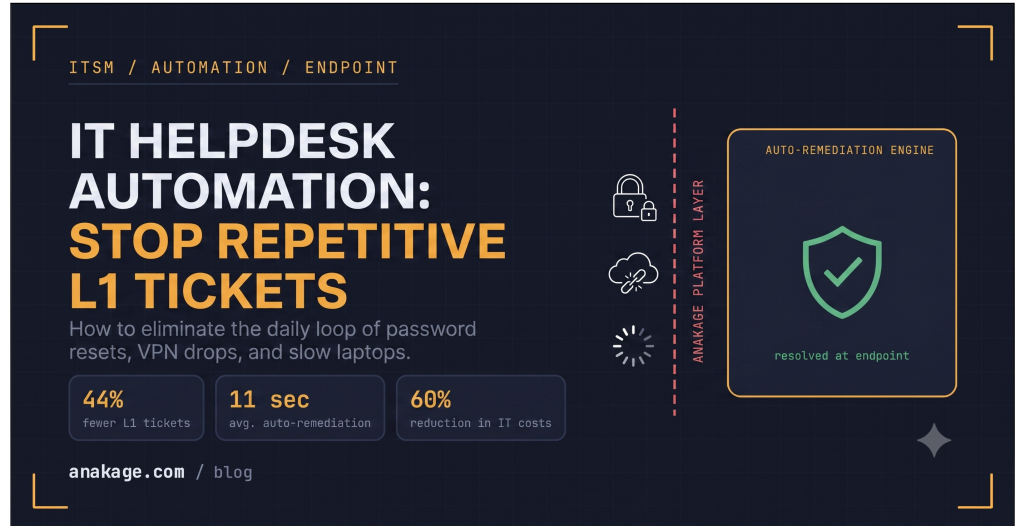
If your IT helpdesk is flooded with the same support tickets every single day, you do not have a staffing problem. You have a structural problem.
Password resets. VPN drops. Slow laptops. Printer issues. Software access requests. Same tickets, every day, from the same people.
Hiring more IT staff will not fix this. IT helpdesk automation will.
Contents
- 1 Why Your Support Ticket System Keeps Filling Up
- 2 What IT Helpdesk Automation Actually Does
- 3 3 Ways to Stop Getting the Same Tickets Every Day
- 4 IT Helpdesk Automation vs Traditional Help Desk Software
- 5 Which Ticket Categories to Automate First
- 6 What You Need to Make This Work
- 7 Frequently Asked Questions
- 8 Ready to Stop Answering the Same Tickets Tomorrow?
Why Your Support Ticket System Keeps Filling Up
The root cause is never fixed, only the symptom.
An agent resets a password. The ticket closes. Next week, the same user raises the same ticket. Nothing in your support ticket system changed. No self-service option was added. No automation workflow was built.
This is why the tickets keep coming:
- No self-service in your IT helpdesk software means every password reset comes to IT
- No proactive monitoring means VPN drops only get reported after the user loses productivity
- No endpoint management visibility means slow laptops pile up undetected
- No automated provisioning means every software access request needs a human
- No auto-remediation means the same printer driver fix gets applied manually every time
Your IT helpdesk is built to react. Not to prevent.
What IT Helpdesk Automation Actually Does
IT helpdesk automation uses AI and workflow technology within your IT service management platform to resolve, route, and deflect tickets automatically.
It is not just smarter ticketing system software. It is a layer that sits across your entire IT operation.
It watches endpoints. It detects issues before users notice them. It guides employees to self-service. It closes tickets without a human getting involved.
Modern IT helpdesk automation connects your ITSM software, IT asset management, endpoint management, and patch management software into one unified system. No more switching between five different tools to get a complete picture.
3 Ways to Stop Getting the Same Tickets Every Day
Way 1: Deflect tickets before they are raised
The cheapest ticket to resolve is the one that never gets created.
A self-service layer inside your IT helpdesk lets employees resolve common issues themselves. Password resets, account unlocks, VPN reconnections — handled without contacting IT at all.
The key is contextual guidance, not a basic FAQ page. Employees need step-by-step help that appears inside the tool they are already using. This is what a Digital Adoption Platform does.
Anakage customers see 44% fewer L1 tickets within the first 90 days.
Way 2: Fix issues before the user even notices
Most IT problems leave signals in your endpoint management data before the user reports them.
A laptop slowing down. A patch missing from your patch management software compliance report. A VPN connection about to drop. All detectable before they become a support ticket.
Proactive monitoring with auto-remediation catches these signals and fixes the issue automatically. The user never notices. The ticket never enters your ticketing system.
Anakage’s auto-remediation resolves endpoint issues in under 11 seconds on average.
Way 3: Automate the resolution when a ticket does come in
Some tickets will always come in. For those, your IT helpdesk automation handles the fix, not a human.
Here is what that looks like in practice:
- Password reset request comes in → system verifies identity → resets automatically → ticket closes
- Software access request comes in → system checks approval policy → provisions access → ticket closes
- VPN drop reported → system diagnoses connection → reconnects automatically → ticket closes
According to Gartner, password resets alone make up 10 to 50% of all enterprise IT helpdesk tickets. Automating this one category cuts your overall ticket volume significantly.
IT Helpdesk Automation vs Traditional Help Desk Software
Most traditional help desk software was built to manage tickets, not eliminate them.
A standard IT ticketing system software receives a ticket, assigns it to an agent, tracks its status, and reports on resolution time. It makes the reactive process more organised. But it does not reduce the number of tickets coming in.
IT helpdesk automation does something different:
- Stops tickets from being raised through self-service and proactive monitoring
- Resolves tickets automatically without routing them to a human agent
- Connects your ITSM software, IT asset management, endpoint management, and patch management software in one unified view
This is why enterprise IT teams in India are making the shift. The India helpdesk automation market is projected to grow from USD 5.9 billion in 2025 to USD 16.3 billion by 2031, driven by BFSI, Telecom, and Manufacturing companies that can no longer justify the cost of manual L1 support.
Which Ticket Categories to Automate First
Start here. These are the highest volume, fully automatable, and carry zero risk:
- Password resets and account unlocks — 100% automatable with proper identity verification
- VPN reconnection — automated diagnostics resolve 80%+ of cases
- Software installation requests — automated provisioning based on role and approval policy
- Slow laptop issues — caught by endpoint management monitoring before users report them
- Printer driver issues — auto-remediation scripts handle the most common conflicts
Once these are running without human involvement, move to the next tier:
- Network connectivity issues
- Onboarding access requests
- Licence assignment through your IT asset management module
- Compliance tickets flagged by your patch management software
What You Need to Make This Work
You do not need to replace your entire IT support stack. You need three things:
1. Endpoint management monitoring
Watches every device in real time. Flags anomalies before they become tickets in your support ticket system.
2. Self-service layer
Gives employees contextual, guided help inside the tools they already use. Not a static FAQ buried in your help desk software.
3. IT automation layer
Handles ticket resolution end to end when a ticket does come in. No manual agent involvement for L1 categories.
Anakage combines ITSM software, IT asset management, endpoint management, patch management, proactive monitoring, auto-remediation, and knowledge management in one platform. No integration complexity. No data silos. No separate vendor contracts.
Frequently Asked Questions
How long does it take to reduce repetitive IT helpdesk tickets?
Most enterprise teams see measurable ticket reduction within 30 days of deployment. Full deployment across all L1 categories in your ITSM software typically takes 60 to 90 days.
Will employees actually use a self-service portal instead of raising a ticket?
Only if it is simple and contextual. Well-designed self-service inside modern IT helpdesk platforms consistently sees adoption rates above 70%.
Do I need to replace my existing IT ticketing system software?
Not necessarily. A good IT helpdesk automation platform integrates with your existing ticketing system and adds the automation layer on top.
What is the difference between ITSM software and IT helpdesk automation?
ITSM software covers the full lifecycle of IT service management including incident management and change management. IT helpdesk automation is the AI-powered capability within ITSM that resolves tickets without human involvement. Anakage includes both in one unified system.
What results do Indian enterprises see from IT helpdesk automation?
Anakage customers report 44% fewer L1 tickets, 60% reduction in IT support costs, and 50% reduction in MTTR. For a 1,000 endpoint enterprise, this typically means annual savings of ₹1 to 2 crore in the first year.
Ready to Stop Answering the Same Tickets Tomorrow?
Anakage manages 1.5 million endpoints across 100+ enterprises in India and globally.
Our unified IT automation platform covers ITSM, IT asset management, endpoint management, patch management, and more in one place. No new tools. No integration headaches.
See what your IT team could stop doing — and start doing instead.