

In large manufacturing and IT operations environments, enterprise applications like SAP power finance, supply chain, plant operations, and enterprise-wide reporting.
Deploying and configuring these applications across 1,000+ endpoints is not just an IT exercise — it directly impacts operational continuity, authentication reliability, compliance posture, and user productivity.
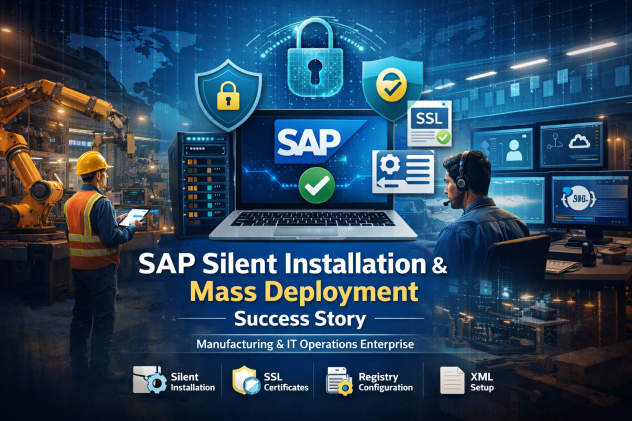
This case study explains how Anakage standardized SAP application deployment across a large manufacturing enterprise using a structured, silent mass deployment framework — eliminating manual effort, SSL errors, and authentication failures while improving audit visibility.

Client Overview
The client is a large enterprise operating in the manufacturing and IT operations sector with a regulated IT environment.
Their SAP platform supports:
- Financial management and accounting workflows
- Supply chain coordination
- Plant-level production systems
- Enterprise reporting and cross-functional analytics
The objective was to deploy and configure the SAP application — including secure login and environment setup — in a secure, scalable, and consistent manner across 1,000+ users.
The Challenge: SAP Deployment at Enterprise Scale
Rolling out SAP across thousands of endpoints exposed operational inefficiencies and security risks.
- Manual & Time-Intensive SAP Installation
Each user installation required:
- Administrative privileges
- Multiple installation steps
- User-level configuration
- Registry modifications
- XML file imports
Manually, the process took 1–2 hours per user.
At scale (1,000+ users), this resulted in:
- Massive IT workload
- Deployment inconsistencies
- Delayed onboarding
- High operational overhead
- Increased human error
The organization needed a silent SAP mass deployment solution that removed repetitive manual effort.
- SSL Certificate Installation Issues
SAP secure connectivity required:
- Root certificates
- SSL certificates installed on every machine
However:
- Certificates were inconsistently installed
- Users experienced SSL trust warnings
- Connectivity failures disrupted workflows
- Manual certificate handling increased security risks
A centralized, silent certificate installation mechanism was critical.
- Registry Creation & Secure Login Configuration
SAP secure login required:
- Machine-level registry entries
- User-specific configuration
Because scripts often ran under SYSTEM context:
- Registry keys were written to incorrect profiles
- Security Identifier (SID) mapping failed
- Authentication errors increased
- Support tickets escalated
Accurate user-context-aware configuration was essential.
- User-Level XML Configuration Issues
SAP application configuration required importing XML files per user.
Manual configuration led to:
- Different system definitions across departments
- Users accessing incorrect SAP environments
- Operational confusion
- Increased compliance risk
A standardized, automated XML deployment process was required.
The Solution: Silent Mass SAP Deployment with Structured Configuration
Anakage implemented a centralized, automated SAP deployment framework combining:
- Silent SAP installation
- SSL certificate automation
- Registry creation
- User-level XML configuration
- Structured logging & compliance visibility
All executed through a controlled enterprise workflow.
Silent SAP Application Installation
The SAP application was deployed in fully silent mode, ensuring:
- Zero user interaction
- No productivity disruption
- Administrative validation
- Return code monitoring
- Reboot detection handling
- Structured logging
This enabled consistent deployment across all business units.
Automated SSL Certificate Installation
To eliminate SSL trust errors:
- Required root and SSL certificates were silently installed
- Certificates were imported into the Trusted Root Certification Authorities store
- No user prompts appeared
- Secure connectivity worked immediately
This permanently resolves recurring SSL trust issues.
Automated Registry Creation & User-Aware Configuration
Since deployment executed under SYSTEM context, Anakage implemented:
- Interactive user detection
- Username extraction
- SID identification
- Accurate registry mapping
Machine-level registries and user-specific secure login configurations were applied correctly.
Configured elements included:
- Authentication settings
- Network communication parameters
- Policy host configuration
- Enrollment endpoints
- Certificate profile mapping
Authentication failures caused by incorrect SID targeting were eliminated.
Silent XML-Based User Configuration
To standardize SAP system access:
- Existing XML files were backed up
- Enterprise-approved XML configurations were deployed
- Configuration updates were logged
- SAP launched post-deployment
This ensured:
- Uniform SAP landscape across all users
- Controlled environment access
- Elimination of configuration drift
Implementation Workflow
The structured deployment framework included:
- Administrative validation
- Silent SSL certificate installation
- Silent SAP installation
- Machine-level registry creation
- Interactive user detection
- SID-based user configuration
- XML configuration deployment
- Structured execution logging
- Centralized status reporting
This ensured predictable, secure, and compliance-aligned execution.
Results & Business Impact
The transformation delivered measurable operational improvements.
80–90% Reduction in Deployment Time
Manual installation took 1–2 hours per user.
At 1,000+ users, this equated to thousands of hours.
Silent mass deployment reduced execution time dramatically while maintaining consistency.
Zero Impact on User Productivity
Deployment occurred silently in the background without interrupting:
- Production workflows
- Finance operations
- Supply chain processes
- Plant operations
Business continuity remained intact.
Reduced IT Support Tickets
By eliminating authentication failures and configuration inconsistencies, login-related issues dropped significantly.
With secure login and SAP settings applied correctly the first time, fewer users raised tickets — reducing escalations and easing the IT support workload.
Elimination of SSL Trust Errors
Consistent silent certificate installation prevented:
- Connectivity failures
- Trust warnings
- Recurrent support tickets
Reliable Secure Login Authentication
Correct SID-based registry configuration ensured:
- Authentication worked on first login
- Reduced login-related escalations
- Improved user confidence
Standardized SAP Environment Across Departments
All users accessed:
- Approved enterprise systems
- Consistent system definitions
- Controlled production environments
Improved Compliance & Audit Readiness
Structured logs and centralized deployment visibility enabled:
- Clear execution records
- Status tracking
- Audit traceability
- Regulatory alignment
Why Anakage for SAP Enterprise Deployment
Anakage delivers:
- Enterprise-scale silent SAP deployment
- Automated SSL certificate management
- User-context-aware registry configuration
- XML-based SAP landscape standardization
- Compliance-aligned structured logging
- Scalable mass rollout architecture
For regulated manufacturing and IT environments, this ensures secure, repeatable, and auditable SAP application deployment.
Here are SEO-optimized FAQs you can add at the end of the blog to improve search visibility for terms like SAP silent installation, SAP mass deployment, SAP SSL certificate installation, SAP registry configuration, and enterprise SAP rollout.
Frequently Asked Questions (FAQs)
- What issilentSAP installation?
Silent SAP installation is an automated deployment method where SAP is installed without user interaction.
It runs in the background using predefined configuration parameters, allowing IT teams to deploy SAP across multiple endpoints without manual intervention.
- Why is silent mass deployment important for manufacturing enterprises?
In manufacturing environments, SAP supports finance, supply chain, and plant operations.
Manual installation can take 1–2 hours per user. At scale (1,000+ users), this becomes operationally expensive and error-prone.
Silent mass deployment:
- Reduces IT workload
- Ensures consistent configuration
- Prevents downtime
- Maintains productivity during rollout
- How do SSL certificate issues impact SAP connectivity?
SAP secure communication requires root and SSL certificates to be properly installed on each endpoint.
If certificates are missing or incorrectly configured:
- Users see trust warnings
- Secure connections fail
- Authentication errors occur
Automated certificate installation ensures secure connectivity works from the first login.
- Why does registry configuration matter in SAP secure login setup?
SAP secure login often requires registry entries at both machine and user levels.
If deployment scripts run under SYSTEM context without proper user detection:
- Registry keys may be written to the wrong profile
- SID mapping may fail
- Authentication errors increase
User-aware registry configuration ensures secure login works correctly for each user.
- How much time can silent SAP deployment save?
In this case, manual installation took 1–2 hours per user.
For 1,000+ users, this could mean thousands of hours of IT effort.
Silent mass deployment reduced execution time by 80–90% while ensuring consistent configuration.
- Does silent SAP deployment affect user productivity?
No.
When properly implemented, silent deployment runs in the background without interrupting active workflows. This ensures:
- No disruption to plant operations
- No finance system downtime
- No impact on supply chain workflows
- Who should consider implementing structured SAP deployment?
Organizations that:
- Manage SAP across large endpoint environments
- Operate in regulated industries
- Require secure login configuration
- Need consistent SSL certificate management
- Want to reduce IT overhead while improving compliance
Conclusion
Deploying SAP in a manufacturing enterprise requires more than installation scripts.
It demands:
- Silent mass deployment
- Automated SSL certificate installation
- Accurate registry and SID-based user configuration
- Standardized XML environment control
- Structured compliance visibility
By implementing a controlled and automated SAP deployment framework, Anakage transformed a manual, error-prone rollout process into a secure, scalable, and productivity-safe enterprise deployment model.
For organizations managing SAP across large endpoint environments, structured silent deployment can dramatically reduce IT workload while strengthening security and compliance posture.