
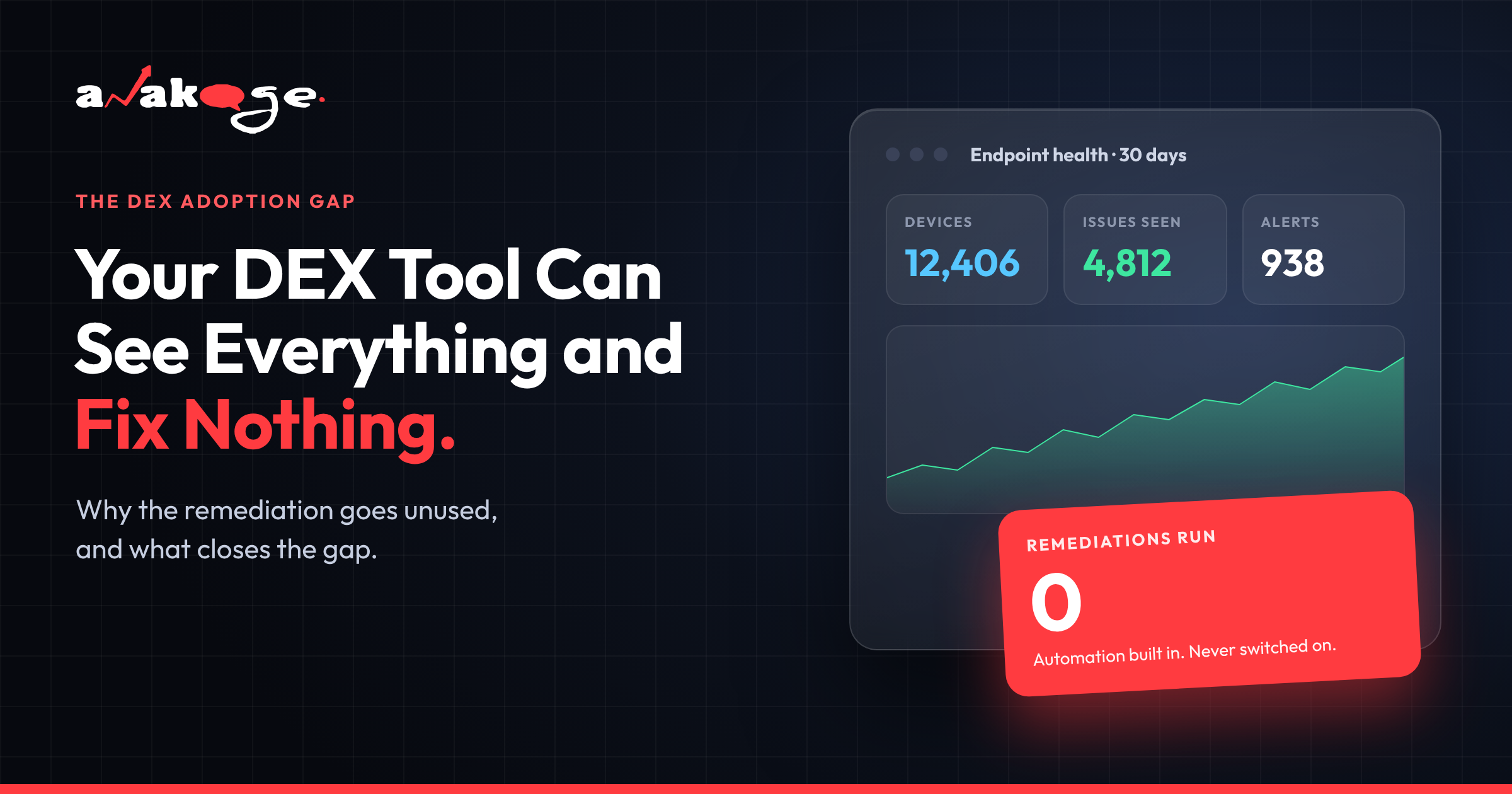
Your DEX platform probably can fix things. Nexthink has Remote Actions, SysTrack has Intelligent Edge, most of the category ships some form of automated remediation. The problem is that the feature sits there while your team keeps reading dashboards.
This is not a product failure. It is an adoption failure, and it shows up in the one number your CIO cares about.
Nexthink reports a 28% reduction in support tickets across its enterprise customers. (Source: Nexthink Customer Outcomes, cited by sobrii, May 2026)
Vendor marketing across the category routinely claims up to 40%. (Source: Workelevate, 2026)
The distance between those two numbers is where most DEX deployments live.
A Customer Said It Better Than We Can
Nexthink holds a 4.6 rating across 445 reviews on AWS Marketplace, with 78% of them five stars. People like this product. (Source: AWS Marketplace, October 2026)
Which makes this review, posted in October 2026, worth reading twice:
“Not a dislike but our challenge is how to operationalize the use of Nexthink at scale across our org.” — Anton F., reviewing Nexthink on G2
He likes Remote Actions. He calls Nexthink forward-thinking. And his stated challenge is getting the thing actually used across the organisation.
Another reviewer, from a transportation company, put the same problem differently:
“It can be overwhelming because there is so much data. It’s easy to feel lost in the product.”
Both reviews are positive overall. Neither complains about missing features. They describe a gap between what the platform can do and what their team does with it.
Three Reasons the Remediation Goes Unused
1. Writing the Automation Needs Skills You May Not Have
Building remediation in most DEX platforms means learning the vendor’s query language and writing scripts. Nexthink uses NQL plus PowerShell. (Source: Anakage competitor analysis, July 2026)
So the person who spots the problem on the dashboard often cannot build the fix. They raise a ticket with the automation team instead, and the queue grows.
Worse, in banking and public sector, security policy frequently blocks PowerShell outright. The remediation engine is there and your own policy stops it running.
2. Too Much Data, Not Enough Decisions
A DEX agent collects a lot. SysTrack samples across roughly 10,000 parameters every 15 seconds. (Source: Anakage–SysTrack battlecard)
That depth is genuinely useful for root-cause work. It is also why reviewers describe feeling lost in the product.
Dashboards multiply. Nobody closes the loop from “we can see the problem” to “the problem stops happening.”
3. It Stops Where the Network Stops
Most of the category is cloud-dependent. Nexthink and several others cannot operate on a disconnected endpoint. (Source: Anakage competitor analysis, July 2026)
Your branch office on a thin link, your plant floor, your air-gapped segment — these are often where the worst endpoints live, and they are exactly where the tool goes quiet.
The Part That Should Worry EUC Leaders
Gartner’s forecasts for this category are blunt.
Through 2028, IT executives will replace more than half of the end-user services leaders who fail to measurably improve the digital employee experience. (Source: Gartner, cited by Workelevate, 2026)
Read that again. Buying the platform is not the thing being measured. The improvement is.
Gartner also expects that by 2028, digital workplace teams that have fully implemented a DEX platform will carry half the backlog of those that have not. (Source: same)
“Fully implemented” is doing heavy lifting in that sentence. A platform you log into to look at charts is not fully implemented.
The Agent Nobody Measures
One more thing worth knowing, because it rarely comes up in evaluations.
Idle memory footprint across the main DEX agents, as reported in 2026:
| Platform | Agent idle RAM |
|---|---|
| ControlUp | 50–90 MB |
| 1E / TeamViewer DEX | 60–100 MB |
| Nexthink | 80–120 MB |
| Riverbed Aternity | 100–140 MB |
| Lakeside SysTrack | 120–180 MB |
(Source: sobrii, May 2026, compiled from vendor data. sobrii is a vendor in this market — verify independently.)
You deployed a tool to diagnose slow machines. On a 4 GB laptop, its agent is a meaningful share of what is making the machine slow.
If the tool is only producing dashboards, you are paying that overhead for a report.
Ask every vendor for the idle footprint in writing. Most will not volunteer it.
What Actually Closes the Gap
Five things, in order.
1. Count your automations, not your dashboards. Open your platform today. How many remediations ran in the last 30 days, and how many endpoints did they touch? If the answer is “none” or “a handful”, you have a usage problem, not a tooling problem.
2. Pick five issues and automate only those. Password resets, disk cleanup, stopped antivirus, print spooler failures, group policy drift. These five drive most L1 volume in most estates. Do not try to automate everything.
3. Find out who can write the automation. If the answer is one person who is also on call, that is your bottleneck. Either train more people or pick a tool where building a fix does not require scripting.
4. Measure deflection, not detection. Detection is easy to show and means nothing. Track issues resolved without a ticket, as a percentage of total.
5. Check what happens offline. Take a laptop off the network for a week. Does your platform still detect and fix, or does it wait?
Realistic Benchmarks
What good looks like, from live deployments:
| Metric | Benchmark |
|---|---|
| Ticket volume reduction | 28% (Nexthink’s own reported figure) to 44% |
| Issues resolved without IT | 70–81% |
| Self-help success rate | 72% |
| Average remediation time | Under 11 seconds, against a 45–90 minute manual baseline |
| Time to first measurable result | 6–8 weeks |
(Sources: Nexthink Customer Outcomes via sobrii; Anakage customer case studies. Vendor-reported figures on both sides.)
For context on why this matters financially, average IT downtime costs roughly $260 per employee per hour. (Source: ITIC Hourly Cost of Downtime 2025, cited by sobrii)
One deployment we worked on eliminated around 1,000 incidents a month within three months. The tool mattered less than the decision to automate the top five issues and stop there.
When Visibility Is the Right Thing to Buy
Not every team has an action problem.
If you genuinely do not know what is breaking, buy the analytics. SysTrack retains 90 days of full per-device telemetry against Nexthink’s 30 as standard, and that depth solves problems nothing else will. (Source: sobrii, May 2026)
Capacity planning, hardware refresh modelling, application rationalisation — these are analytics problems and the big DEX platforms are good at them.
The failure mode is buying analytics depth when what you needed was fewer tickets, then wondering why the ticket number has not moved.
FAQ
Q: Why isn’t my DEX tool reducing ticket volume?
A: Usually because the remediation features are not being used. Most DEX platforms ship automation, but building it often requires the vendor’s query language plus scripting skills. Check how many automations have actually run in the last 30 days.
Q: Do DEX tools actually fix problems or just report them?
A: Most can fix. Nexthink has Remote Actions, SysTrack has Intelligent Edge, and others offer similar. The common gap is operationalising it at scale, which customers themselves describe as their main challenge.
Q: What ticket reduction should I expect from a DEX platform?
A: Nexthink reports 28% across its enterprise customers. Vendor marketing in the category often claims up to 40%. Ask any vendor what their median customer achieves after 12 months rather than their best case.
Q: Why does DEX remediation go unused?
A: Three reasons recur. Building automation needs specialist skills, the volume of telemetry makes it hard to decide what to act on, and cloud-dependent platforms do nothing for disconnected endpoints.
Q: Do DEX tools work on offline endpoints?
A: Most do not. The majority of the category is cloud-dependent and goes quiet when an endpoint loses connectivity. If you have branch sites, plants or air-gapped segments, test this directly rather than trusting the datasheet.
Q: Is a DEX tool worth it if we only use the dashboards?
A: It depends what you bought it for. For capacity planning, hardware refresh and application rationalisation, analytics alone deliver real value. If you bought it to cut tickets and tickets have not fallen, you are paying for a report plus the agent overhead on every machine.
Q: How long before a DEX platform shows measurable results?
A: Expect six to eight weeks if you focus on your top five issues. Broad rollouts across every category take three to six months and usually deliver less, because nothing gets automated properly.
Closing
The DEX category sold visibility and it delivered. The gap now is between teams who turned the automation on and teams who are still reading charts.
If your endpoints go offline or scripting is restricted, that gap is harder to close with a cloud-dependent tool. Anakage runs a 30 minute walkthrough for teams in that position at https://anakage.com/contact-us.html
Sources
- AWS Marketplace — Nexthink Infinity Platform reviews, October 2026
- sobrii — Digital Employee Experience 2026 guide, May 2026 (vendor-published)
- Workelevate — What is Digital Employee Experience, 2026, citing Gartner
- ITIC — Hourly Cost of Downtime Survey 2025