
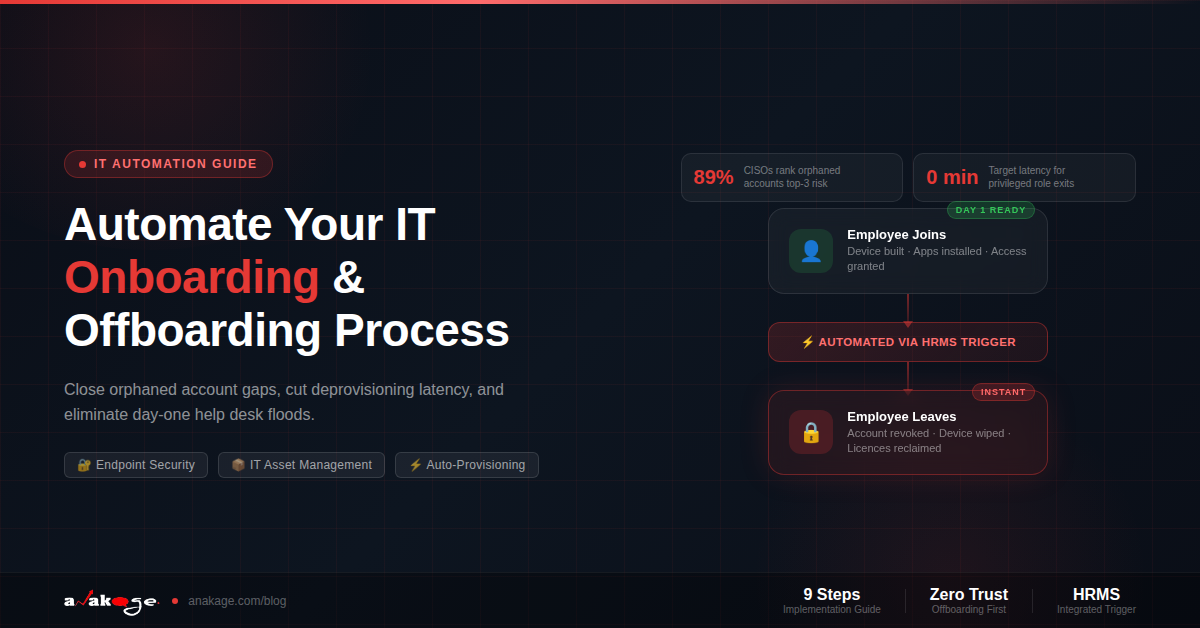
Automating the onboarding process means connecting one trigger from your HR system to a fixed sequence of actions on the device and in your systems. Onboarding covers account creation, software install, licence allocation and access. Offboarding covers access revocation, device wipe, licence reclaim and data handover.
Offboarding is the half that matters more, and the half most IT teams do worst.
Why the Offboarding Procedure Fails More Often Than Onboarding
Onboarding failures are visible. A new joiner cannot log in, so they call the help desk on day one and someone fixes it within the hour.
Offboarding failures are invisible. Nobody complains when an account stays live after someone leaves. That is exactly why it stays live.
An orphaned account is a login or system access that still belongs to a former employee after they have left.
The scale is well documented. A 2026 identity governance report found 89% of enterprise CISOs now rank orphaned accounts as a top three SaaS security governance issue, alongside privilege escalation and shadow IT.
The cause is a process gap, not carelessness. HR records the departure, but that event never reliably triggers access revocation across IT systems.
Two things make it worse over time. These accounts often keep elevated permissions, because people accumulate access over the years but rarely lose it. When the identity becomes orphaned, you have a privileged account with no owner.
And a former employee does not need to be malicious for this to hurt. A forgotten account is a live door with nobody watching it.
The number your auditor will ask for
Most IT teams cannot answer it. If yours can, you are ahead of the majority.
What Your Help Desk Actually Sees
Before designing anything, look at the ticket data. A manual onboarding procedure produces a predictable pattern.
Day one: cannot log in, machine not ready, missing software.
Day two and three: how do I connect to the printer, where is the shared drive, how do I set up VPN.
Week two: licence missing for a tool the role needed but nobody listed.
That day-two cluster is the one most helpdesk software reports lump into “general query” and nobody investigates. It is usually the largest group, and it is entirely preventable.
Offboarding produces almost no tickets at all, which is the problem. Silence is not success here.
What to Automate in the Onboarding Process
The device side
- Build and enrol the machine
- Install the software set for that role
- Apply the correct policies and security baseline
- Set up printers, drives and VPN profile
The identity side
- Create the account and mailbox
- Assign group memberships by role
- Allocate the licences that role needs
- Grant application access
The user side, which almost everyone skips
- Show them where the self-help portal is
- Guide them through the apps they will use daily
- Prompt them to enrol in password reset before they need it
That third group is why the day-two ticket wave exists. The machine works. The person does not know how to use it, and the help desk absorbs the difference.
What to Automate in the Offboarding Procedure
Immediate, within minutes
- Disable the account and revoke active sessions
- Remove group and distribution list memberships
- Revoke MFA factors
Same day
- Reclaim and reassign licences
- Transfer file ownership to the manager
- Convert the mailbox for business continuity
- Wipe or reimage the device
The commonly missed items
Accounts created outside single sign on. Employees frequently keep direct accounts that bypass SSO, so those need separate discovery and revocation.
Personal devices holding corporate data. Physical access and badges. Shared credentials the person knew.
Where IT Asset Management Fits
Your IT asset management records are what make both halves work, and they are usually the weakest link.
Onboarding needs asset management to answer one question: what does this role get? Without a defined bundle per role, someone guesses, and the guess produces a week-two licence ticket.
Offboarding needs it to answer three questions. What was issued to this person, what came back, and what is still assigned.
Most organisations discover their asset records are stale exactly when they need them. A laptop marked as issued to someone who left in March is either lost, sitting in a drawer, or quietly running on someone else’s desk.
Run this check before you automate anything. Compare your IT asset management records against your current staff list. The gap is your real starting point.
The Trigger Is the Whole Design
Everything above is easy. Making it start reliably is the hard part.
A ticket-based offboarding procedure fails silently, because a ticket nobody raises produces no alert.
Three trigger patterns, worst to best:
- Manager emails IT. Fails constantly. No audit trail.
- HR raises a ticket in your helpdesk software. Better, but depends on a human remembering, and lag runs into days.
- HRMS onboarding and exit status changes fire the sequence automatically. The only pattern that gives you a measurable latency number.
If you build one thing from this post, build the third. HRMS onboarding integration is what turns a checklist into a process.
How to Automate It: Nine Steps
1. Map what happens today
Take your last ten leavers. For each, find when HR recorded the exit, when the account was disabled, and when the device came back.
The gap between the first two is your current deprovisioning latency. It is usually worse than people expect.
2. Find your orphaned accounts first
Clean up before you automate. Run a report of accounts with no login in 90 days and cross-check against your staff list.
You will find leavers from years ago. Do this first, or you are automating on top of a mess.
3. Discover accounts outside SSO
List the applications your teams actually use, not the ones you licensed. Expense reports and network logs both help.
Anything not behind single sign on needs a manual step and a named owner.
4. Define the roles
You cannot automate onboarding without knowing what a Finance Analyst gets versus a Plant Engineer.
Write these as named bundles: software, licences, group memberships, policies. Ten to fifteen bundles covers most organisations.
5. Build the offboarding sequence in two tiers
The immediate tier runs the moment the trigger fires. Disable account, kill sessions, revoke MFA.
The same-day tier runs after. Licence reclaim, data transfer, device wipe.
Splitting them matters, because the immediate tier must never wait on a human decision.
6. Build the onboarding sequence with a self-help layer
Machine build and account creation is the easy part. Add what most teams skip: on-screen guidance for the new joiner during week one.
This is what stops the day-two ticket wave reaching your help desk.
7. Handle the device
Onboarding needs the machine imaged and configured before day one. Offboarding needs it wiped, with proof.
For personal devices, corporate data has to be removed while personal data is preserved, which is a different job from a full wipe.
8. Log everything
Every action, timestamped. This is what turns your process into audit evidence.
When an auditor asks how long access lingers after departure, you want a report, not an estimate.
9. Measure and re-run
Track deprovisioning latency monthly. Track how many day-two tickets each new joiner generates.
Both numbers should fall. If they do not, the trigger is usually why.
What the Endpoint Security Manager Should Review
Whoever owns endpoint security in your organisation should sign off on three things before this goes live.
Revocation timing by role. Which roles need minute-level revocation and which can wait until end of day.
Device wipe evidence. What proof exists that a returned machine was wiped, and where that record lives.
The exception list. Which systems your automation cannot reach, and who handles them manually.
Getting this signed off early avoids the common failure where IT automates the convenient parts and security discovers the gaps during an audit.
What Still Needs a Person
Automation should escalate, not pretend.
- Contested or sensitive exits, where legal or HR controls timing
- Data handover decisions, since a machine cannot judge what matters
- Physical access, badges and building systems
- Accounts on systems your automation cannot reach
A workable rule: the immediate security tier runs automatically for everyone, and the rest gets a human check for senior or sensitive departures.
Where Anakage Fits
Our platform covers the endpoint side of both halves. Anakage automates system setup, software installation, device wiping, licence allocation, and ID creation and deletion, and adds on-screen guidance so new joiners find self-help in week one rather than calling the help desk.
The endpoint layer is often the missing piece rather than the whole answer. Identity governance tools handle the account and SaaS side well. What they generally do not do is act on the device itself, which is where software installs, policy application and wipes actually happen.
Be clear about the boundary. If your problem is orphaned accounts across fifty cloud applications, an identity governance platform is the right purchase and we would tell you so. If your problem is that provisioning a machine takes three days and offboarding a device takes three weeks, that is our ground.
One honest note. Automation covers the paths you define. Novel situations still need a person, and any vendor promising otherwise is overselling.
FAQ
What is an orphaned account?
A login or system access that still belongs to a former employee after they have left. They appear when HR records a departure but that event does not reliably trigger revocation across IT systems.
How quickly should access be revoked when someone leaves?
On the day departure is confirmed for most roles. For privileged roles or access to financial systems, within minutes, using session revocation so devices still logged in lose access immediately.
What is deprovisioning latency?
The time between an employee leaving and their access actually being removed. Auditors and cyber insurers increasingly ask for this number, and most organisations cannot produce it.
Why does our onboarding procedure still generate help desk tickets?
Usually because the machine gets built but the person gets no guidance. Day-two tickets about printers, drives and VPN are the signal. Adding on-screen guidance in week one removes most of them.
Can helpdesk software handle onboarding and offboarding on its own?
It can track the requests and hold the checklist. What it generally cannot do is act on the device, so software installs, policy application and wipes still need either a person or an endpoint automation layer.
How does HRMS onboarding integration help?
It removes the human dependency. When a status change in the HR system fires the sequence directly, nothing waits on someone remembering to raise a ticket, and you get a measurable latency figure.
What role does IT asset management play?
It defines what each role receives on day one and what must be recovered on the last day. Stale asset records are the most common reason offboarding leaves devices and licences unaccounted for.
Can offboarding be fully automated?
The security tier can and should be. Data handover decisions, sensitive exits and physical access generally still need a person.
What should we automate first?
The immediate offboarding tier: disable account, revoke sessions, remove group memberships. It carries the most risk and involves no judgement calls.
The gap between someone leaving and their access disappearing is a number you can measure, and most organisations never have. Start there, because it tells you how urgent the rest of this is.
If provisioning and wiping devices is the slow part of your onboarding process, we run a 30 minute walkthrough of the endpoint automation side.
Sources
Orphaned accounts and offboarding risk: CloudNuro · Flip on the offboarding process · RoboMQ on identity governance · Xantrion IT leader’s guide